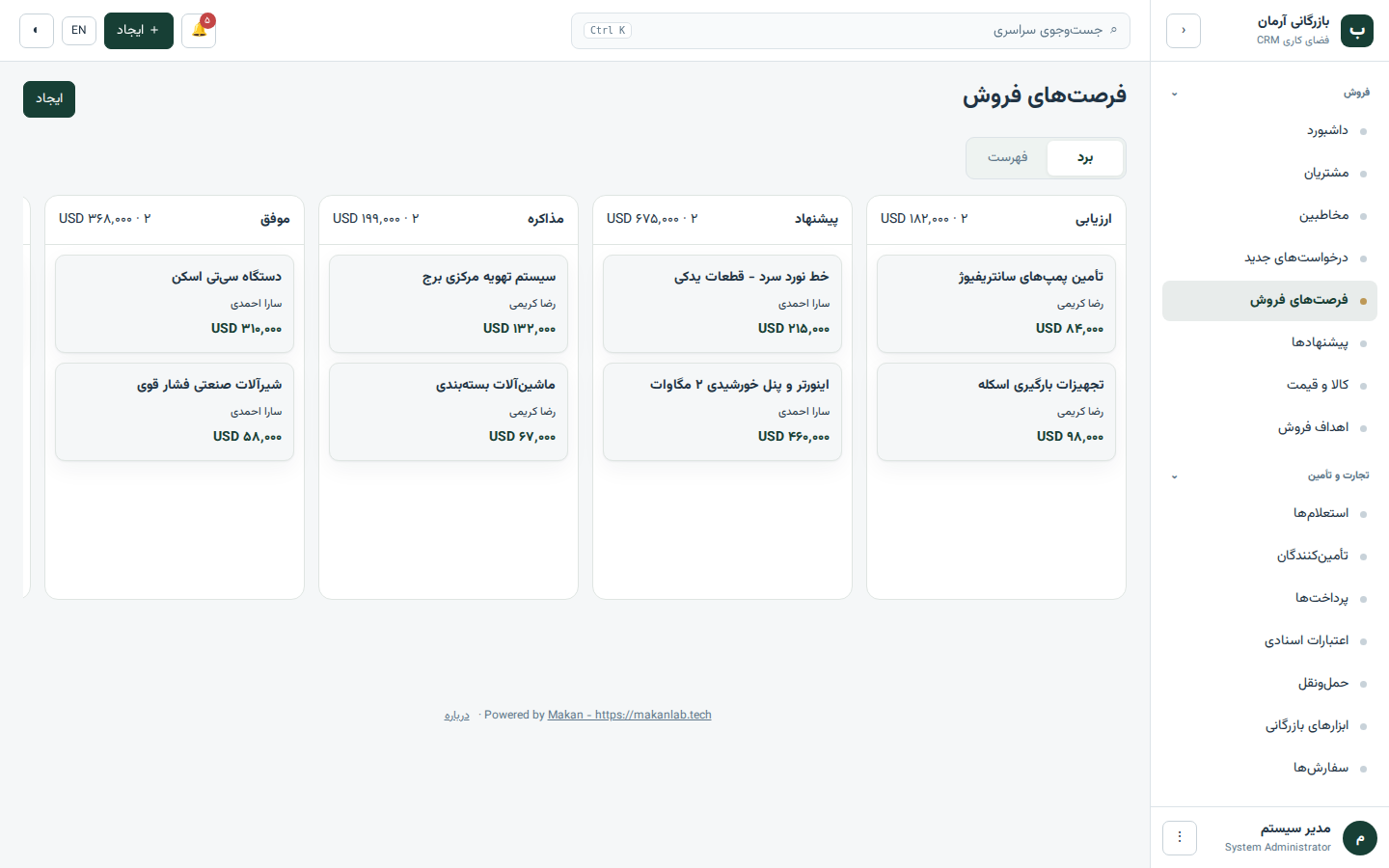
Sales pipeline board
Drag deals between stages you define yourself. Each column shows its count and total, and a list view is one click away.
Free · self-hosted · v10.2.0
 CRM Workspace
Customers, deals, supplier quotes, shipments and payments in one place. It runs on your own host or your own office PC, in Persian and English.
Built for trade
General CRMs stop at the sale. This one follows the goods: each step below is a linked record, so nothing is typed twice.
A customer request becomes an RFQ with its items.
Record each supplier's price, freight and lead time.
See every offer side by side and pick the winner.
One click turns the RFQ into a priced quotation and PDF.
An accepted quotation becomes an order.
Track container, ports, ETD and ETA with alerts.
Follow milestones, letters of credit and due dates.
Screens
These are screenshots of the running app with sample data, not mock-ups.
Features
Sales, trade, service and administration in one app, with no paid tier and no locked modules.
Drag deals between stages you define yourself. Each column shows its count and total, and a list view is one click away.
Contacts, deals, quotations, files and every call, note and email in one timeline, with the actions you need on the same page.
Line items from your product catalogue, with discount and tax per line, automatic totals and a Persian-ready PDF.
Compare supplier offers for one RFQ on price, freight, lead time and technical match before you quote your customer.
Container and bill of lading numbers, ports, ETD and ETA, with a reminder before a shipment is due to arrive.
Payment milestones and letters of credit with due and expiry dates, so finance sees what is coming this week.
When a deal changes stage or a date arrives, create a task or notify someone. Overdue tasks, payments and LC expiry dates raise reminders on their own.
Summarise a customer, draft a reply, translate a message or read a supplier quote into a form. Off by default; runs on a local model or your own API key.
Track after-sales requests, reply from the record, and give customers their own portal login.
Roles from viewer to administrator decide who can read, edit, export and manage users.
One click creates a backup of the database and uploaded files that you can download and restore.
A right-to-left Persian interface with the Jalali calendar and Persian digits, and a full English interface.
مشتریان، فرصتهای فروش، استعلام از تأمینکنندگان، پیشفاکتور، حمل و پرداختها را در یک برنامه مدیریت کنید. برنامه روی هاست یا رایانهٔ خود شما نصب میشود و اطلاعات نزد خودتان میماند.
نسخهٔ فارسی این صفحهDownload
Both packages contain the same app. Pick by where you want it to live.
For teams that need access from anywhere.
For companies that want everything in-house, with no internet.
Get started
These are the steps for the hosting package. The Windows installer does all of this for you.
Create a subdomain such as crm.your-company.com, upload the zip into its folder and extract it there.
Create an empty database in your hosting panel, then open /install.php. It checks the server, asks for the database, your company name and an administrator password.
Copy the cron command from Settings and add it in your hosting panel to run every five minutes. That is what sends reminders.
Verify
Compare with Get-FileHash <file> in PowerShell to be sure nothing was altered.
2b82b810f5c268cb5772cb229e07961ef71aeb7dda5bd7a03dcd1dd5d90268d6
c1ca745125df7386ce351ad94dcd386b07df871bf1375cf183467c4ba7fa7784
FAQ
Yes. Any company can install and use every feature at no cost. The "Created by Makan" credit stays visible in the app.
On your own server or your own office PC. Nothing is sent to makanlab.tech, and there is no account to create here.
Choose the hosting package if your team needs access from anywhere and you have a web host. Choose the offline installer if you want everything on one office PC with no internet.
PHP 8.2 or newer, a MySQL or MariaDB database, and the ability to add a cron job. Ordinary shared hosting is enough for a small team.
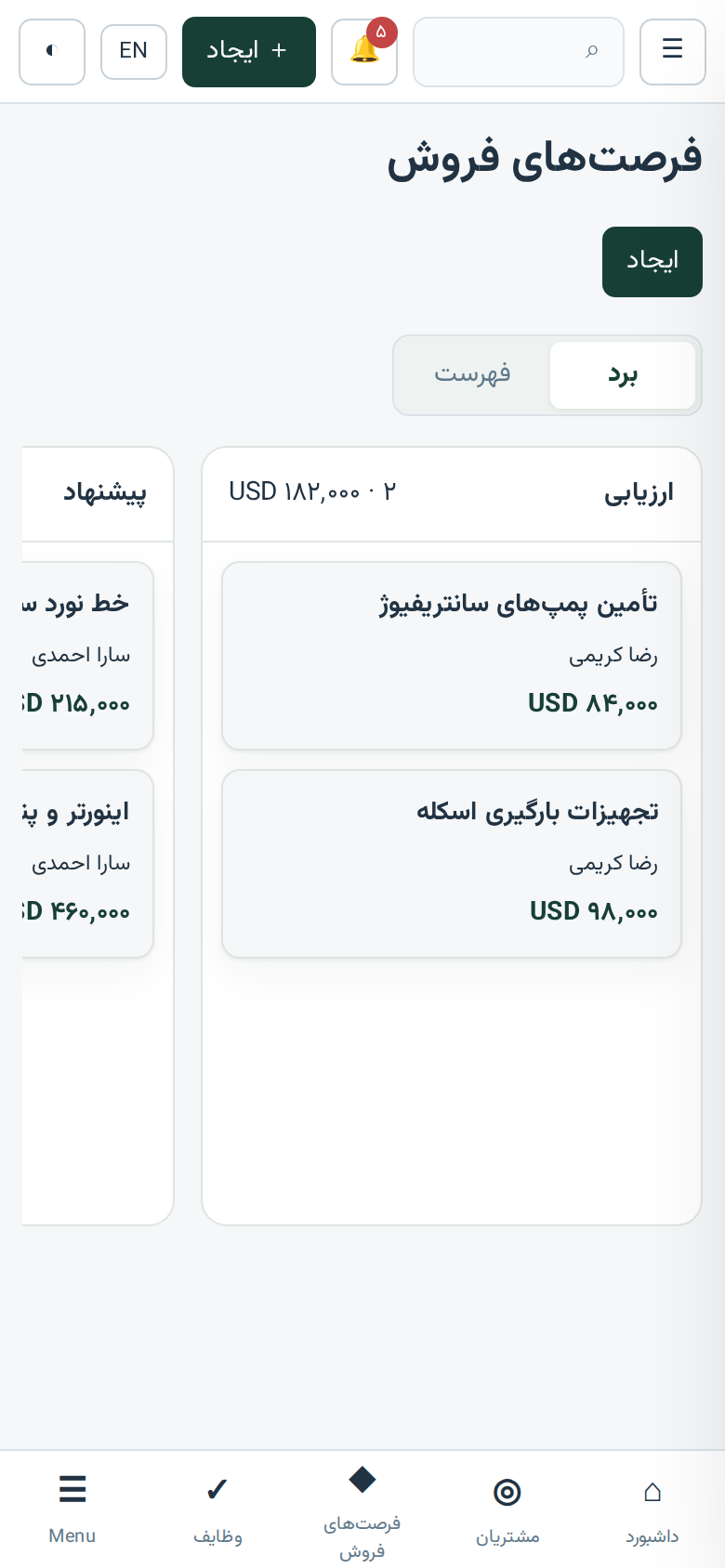
Yes. The interface adapts to phone screens, so you open the same address in your phone browser.
Yes, as an optional extra that is switched off by default. You can connect a local model through Ollama so nothing leaves your PC, or enter your own key for a cloud provider. The AI only produces drafts; it never saves or sends anything by itself.
Yes. The Windows installer is not code-signed, so SmartScreen shows a warning. Compare the SHA-256 checksum on this page with your download, then choose More info and Run anyway.
Yes. Persian is the default language, with a right-to-left layout and Jalali dates. You can switch to English with one button.
Each file has a SHA-256 checksum on this page. Compare it with the result of Get-FileHash in PowerShell or sha256sum on Linux.